AI Design Company
Our AI product design company creates transparency-first web and mobile AI products with an enterprise-grade approach for AI SaaS, automation, and analytics teams.

“Arounda produced amazing work and delivered exactly what we imagined, making a successful partnership. ”



“They were very professional and responsive to our feedback and needs.”

“Their ability to understand the complexity of our product and business is impressive.”

“Arounda has excellent designers. The team has managed the project excellently and communicated remarkably. ”





Arounda is your trusted partner for AI product design
{1}
AI design services for regulated AI, mapped to the EU AI Act, GDPR, and global compliance standards
{2}
Design systems and cross-functional workflows that scale with fast-iterating AI models and features
{3}
Expert team with experience in enterprise SaaS product design
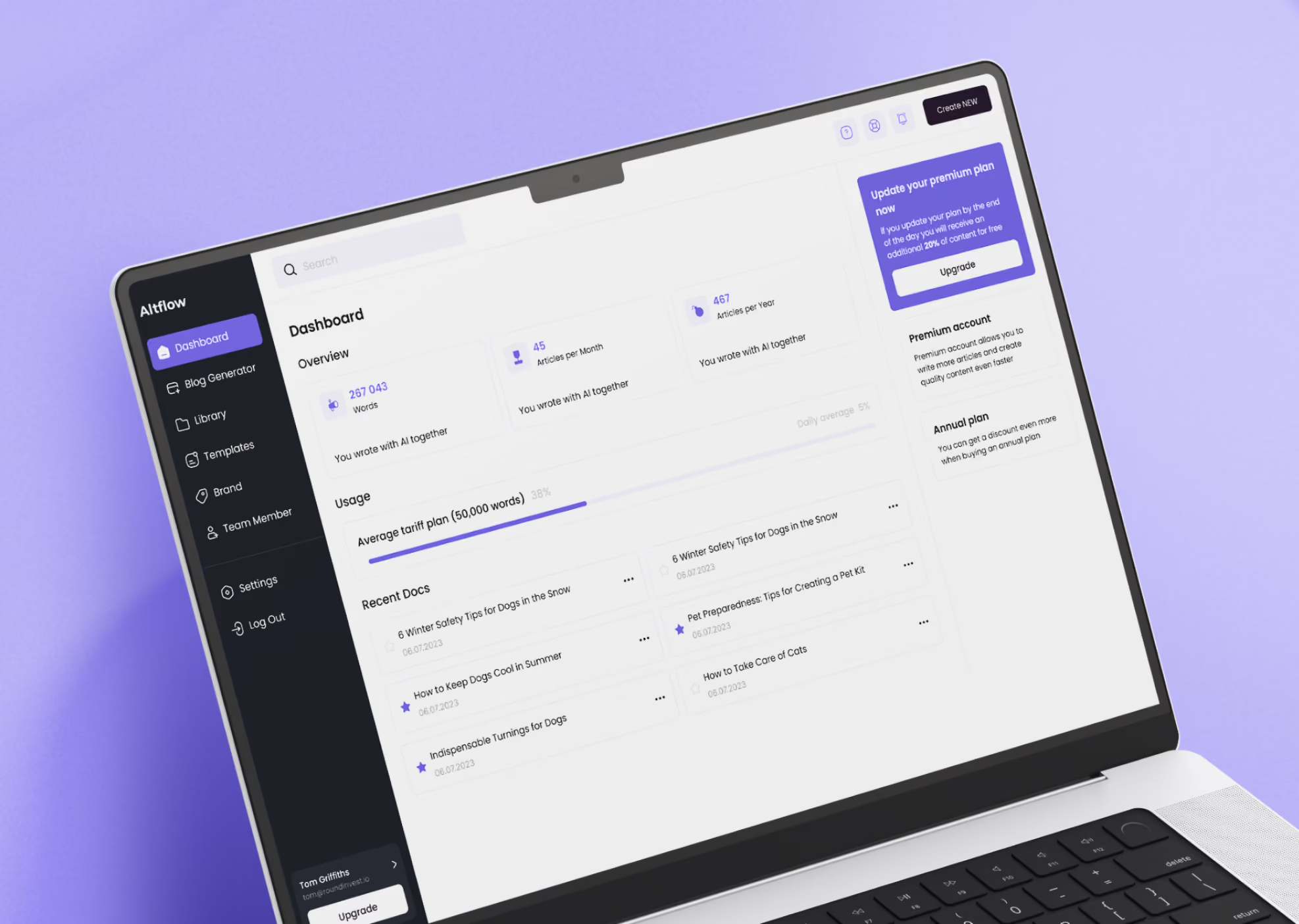
32%



Improved customer reach
Our team unified three tools into one MOJO-CX platform, helping the AI contact center product reach 32% more customers.
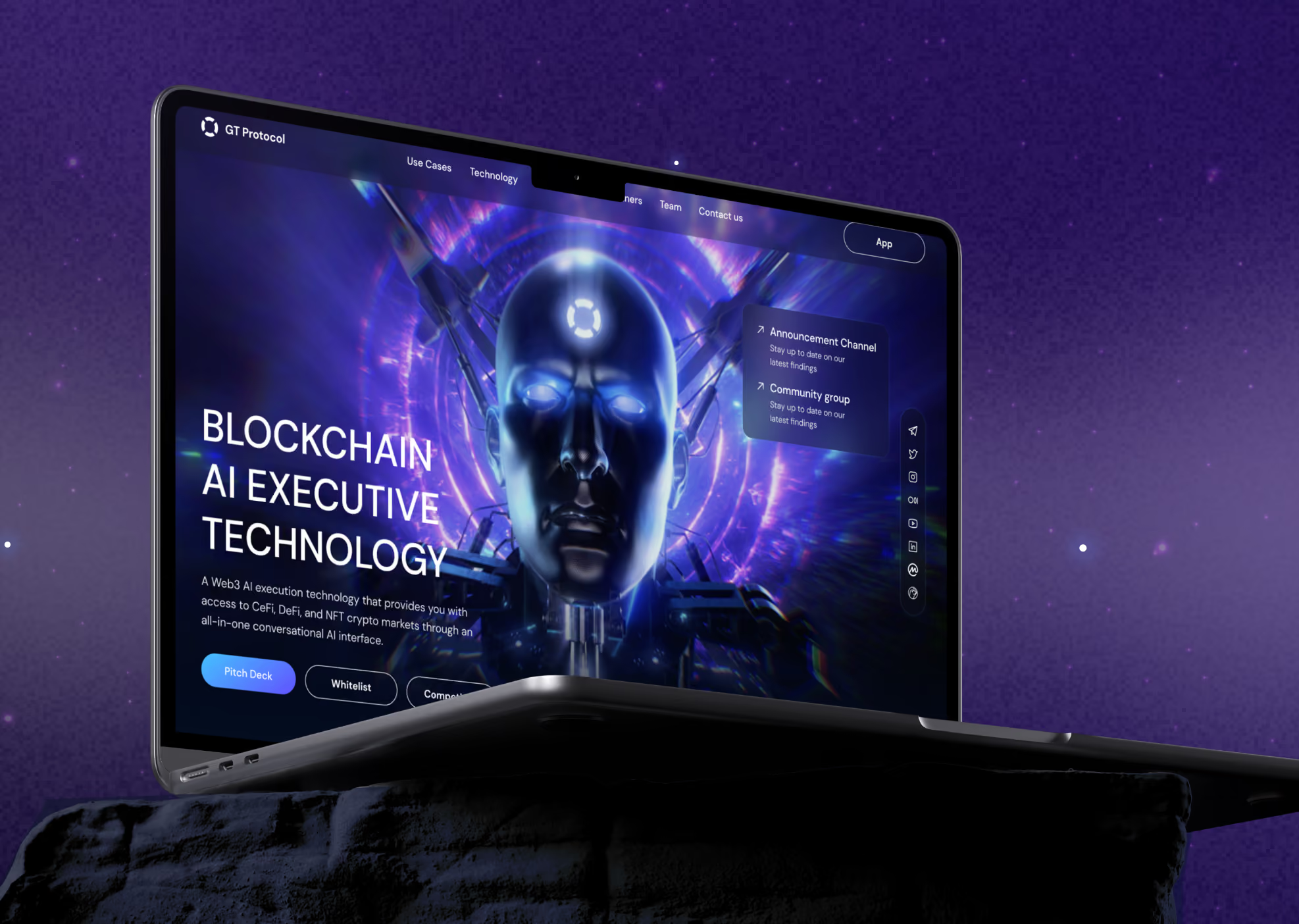
$700M



Funding raised
We designed the UI/UX and brand for SageExpress, an AI data discovery tool that raised $700M in Series D.
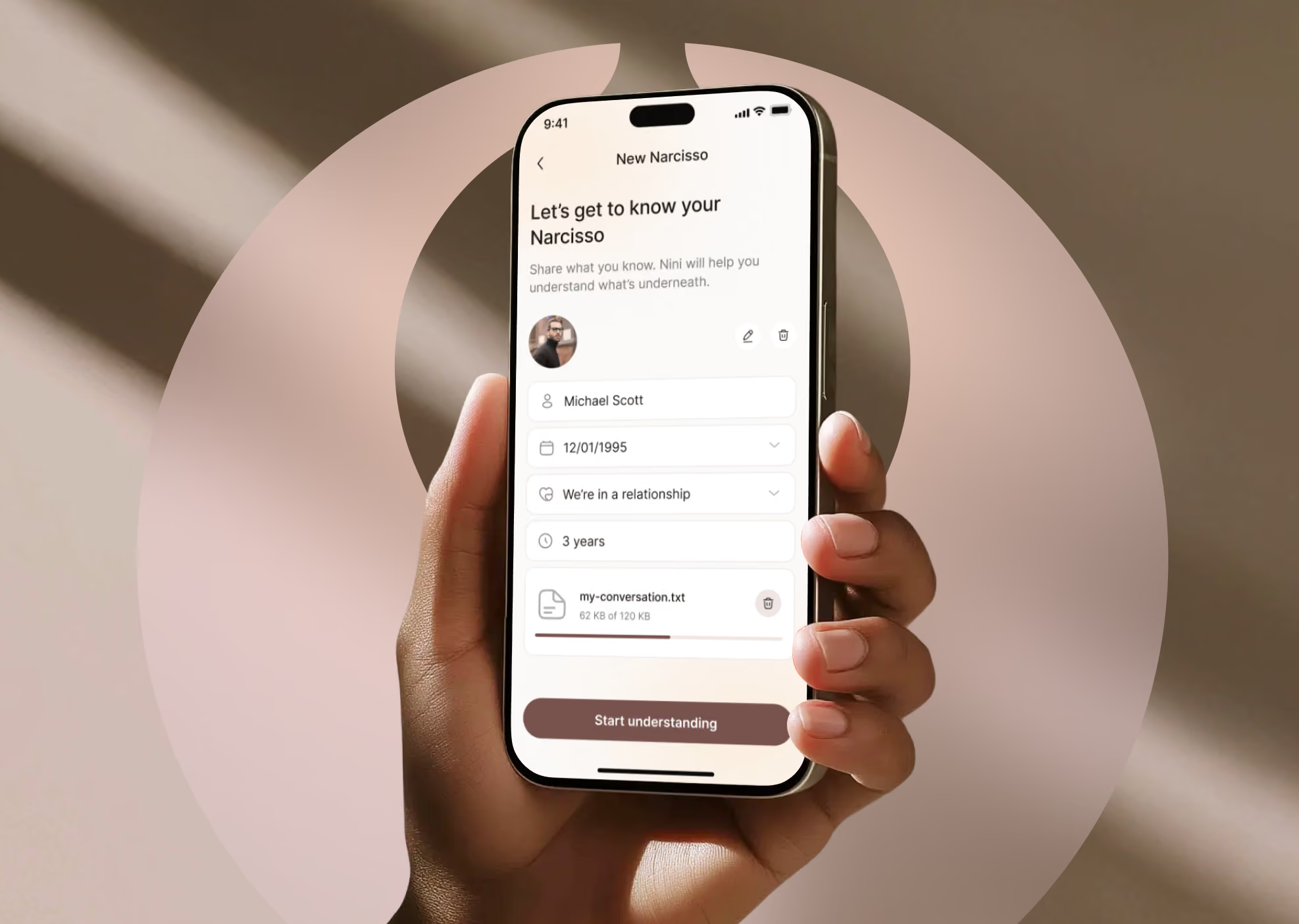
+38%



Improvement in feature engagement
Our UI/UX designers redesigned the NoNarcissAI app, lifting feature engagement 38% and earning a 4.9★ satisfaction score.




What AI product leaders say about us


"I was impressed with the high levels of detail and polish for all the features."


"Arounda had a group of passionate and trustworthy people working over there. That means a lot when selecting a partner. Someone willing to listen, think out of the box, and be guided, yet also opinionated in a professional manner. I would do it again."


"They truly cared about the end result and did not just focus on 'what was scoped.' Agility and helpfulness are something that I am truly pleased with."


"Their execution speed was outstanding, ensuring a smooth workflow without compromising quality."


"Arounda excels with meticulous attention to detail, commitment to excellence, and creative problem-solving. Their inventive solutions captivate visually and significantly enhance the user experience."


"Their UI/UX design skills were very impressive. Modern, creative, and best in class, plus they were intuitive and 'got what we wanted' without any hand-holding and minimal direction."


"The process was something to be admired, they have a great idea of how to turn an idea into a visual product. They would also immediately make changes to any improvements we mentioned."


"They understood our idea and gave us more feedback than expected. They did more than we asked them to do, which was excellent. Arounda produces excellent quality work."


"Their ability to understand the complexity of our product and business is impressive."



AI and ML teams that trusted us with their product





What sets Arounda apart as an AI design partner








See our AI design process in action
Our AI design company built a five-stage process with a clear timeline and deliverables to avoid the guesswork that clients usually face due to misalignment or scope creep.

AI products that we can create together

AI Chatbot & Conversational Interfaces
AI Copilot Interfaces Embedded in Existing Products
AI Dashboards & Predictive Analytics Interfaces
Generative AI Tools & Content Platforms
AI Workflow & Automation Interfaces
Voice & Multimodal AI Interfaces
AI Agent Interfaces & Control Panels
Enterprise AI Internal Tools & Admin Panels
Data Labeling & Model Monitoring Interfaces

How Arounda designs for AI products that people trust

Confidence and Fallback Patterns Users Can Rely On
We design understandable fallback states and confidence indicators for every AI output. Users always know what to do when the AI is uncertain or wrong.

Design for Regulated and Enterprise AI
Our designers build interfaces around the EU AI Act, GDPR, and enterprise compliance requirements from the first wireframe.

Transparent AI Reasoning Users Can Verify
AI interface design shows the reasoning behind an AI output in every project, so users can verify it instead of guessing.

Consistent AI Behavior Across Every Interaction
We standardize how the AI responds to similar inputs, so people build an accurate mental model and don’t have to relearn the product every time.



89+ Reviews
on Clutch

Top Rated Plus Agency
on Upwork

Top 50 Trending team
on Dribbble

Projects are Featured on Behance platform

Latest articles on AI Design









.png)
FAQ
How do you design interfaces for AI systems when the model's output is uncertain or wrong?
Our team incorporates explicit uncertainty states into the interface, such as confidence scores, alternative suggestions, and clarified fallback options, when the AI is unable to accomplish a task consistently. Our AI product design agency views low-confidence output as a deliberate state. Our method includes three patterns:
- Displaying a confidence signal next to each AI-generated result so that users know when to double-check it.
- Providing a fallback option (human handoff, manual override, or a "I'm not sure" response) to avoid a false answer.
- Logging failed or uncertain outputs so the product team can retrain or adjust prompts.
For example, in the NoNarcissAI redesign, uncertain psychological scores used a gradient visualization instead of a single number. Our design solutions prevented users from over-relying on an imprecise reading.
What UX patterns do you use for AI confidence scores and fallback states?
Our approach to AI confidence and fallback states is based on visible indicators, graceful fallback actions, and human-in-the-loop handoff, all tailored to the stage of the product.
For early-stage AI startups, our AI startup design agency offers a simple confidence label (High/Medium/Low or a percentage) next to the AI output, and one fallback message that redirects users to a manual action. This is fast enough to ship before the next funding round and doesn't require a dedicated data science function to maintain.
For SMEs, we add structured fallback flows with retry prompts, alternative suggestions ranked by confidence, and lightweight logs the product team can review without extra tooling.
For enterprise AI, we design full escalation paths with confidence thresholds tied to workflow rules, mandatory human review for low-confidence or high-stakes decisions, and audit trails that satisfy compliance and procurement teams.
AI branding or rebranding is also an important step for user trust. Getting confidence and fallback UX right early avoids a costly redesign once real users start relying on the output.
How do you design human override and control into an AI-driven workflow?
Our team integrates override and control design using a visible pause before the AI acts, an editable draft state rather than immediate execution, and role-based approval gates.
We place a stop or pause control where it is always accessible, rather than hidden in settings, so that a person can interrupt an AI agent in the middle of a task.
For generative or automated actions, we replace instant execution with AI proposals. People approve or edit them before the action is executed.
For regulated workflows, we add approval stages so that only authorized roles can affirm high-risk decisions. And each override is documented for audit purposes.
This pattern clearly supports the EU AI Act's requirement for human oversight of high-risk AI systems, and it is also what enterprise buyers request first during the procurement process.
Our UI/UX design agency for AI products views override and control design as a vital deliverable, because the instant a user is unable to halt or rectify an AI activity, they lose trust in it.
What's different about designing UX for generative AI vs. traditional software?
Traditional software UX design has fixed states where a button click produces one predictable result every time. Generative AI UX supports a range of possible outputs, so the interface has to guide users toward good prompts, show multiple output options, and make regeneration a first-class action rather than an edge case.
Our team identifies key differences:
- There is no single correct output, so we designed comparison and selection patterns (side-by-side variants, thumbs up/down, save-and-regenerate). We recommend avoiding a single result screen.
- Quality varies with input, thus we provide prompt guidance and examples straight into the interface.
- Generation takes time, so instead of a static spinner, we create loading and progress states that set realistic expectations.
For generative AI startups, these patterns matter even more because users judge the entire product based on its first two or three generations. That’s why the interface has to make a mediocre first result feel like a fixable input problem.
How do you make AI decisions explainable to non-technical users?
Our approach:
- There is no single correct output, so we designed comparison and selection patterns (side-by-side variants, thumbs up/down, save-and-regenerate). We recommend avoiding a single result screen.
- Use everyday language instead of technical terms.
- To show why something makes sense, use color, visual hierarchy, and simple charts. After that, users can go into more depth if they want to. Anyone can read the first layer with this approach, but only technical stakeholders who need to can see the depth.
How do you design AI products for industries with compliance requirements (healthcare, fintech, legal)?
Our teams design compliance requirements into the interface from the first wireframe.
For healthcare AI products, that means HIPAA-aware data handling, clear consent screens before any AI-assisted recommendation, and audit trails for every AI-influenced decision. We build them with experience in regulated healthcare AI from telehealth and patient onboarding projects.
For fintech products, it means KYC and AML flows that stay usable under regulatory scrutiny and transparent reasoning behind credit or risk decisions. Arounda chooses design experts with experience in fintech AI products handling trading, lending, and payments data.
When we use legal AI, we make sure there are clear separations between drafts made by AI and content that has been reviewed by an attorney. There is a history of versions and sign-off steps that meet the requirements for privilege and liability.
In all three, we quickly connect the relevant framework (HIPAA, PCI DSS, GDPR, or the EU AI Act) to certain screens and interactions so that we don't have to redesign after the law has been agreed upon.
How do you handle UX for AI agents that take autonomous actions?
We create four UX layers for self-driving AI agents: a visible status, scoped permissions, pause or stop controls, and an action log that can be looked over. In real time, each agent action tells users what the agent is doing and why. This way, users don't have to guess while the agent is running in the background.Based on the danger of the action, we determine what an agent can do without prior approval and what requires human approval. For example, an agent can write an email but cannot send it to a new contact without confirmation. We place pause and stop controls in a fixed, always-visible location so that users can interrupt an agent in the middle of a task. Every completed action is recorded in a log that the user can review, undo, or flag, fostering the trust required to delegate additional tasks over time.This is agent UX, a design discipline unique from standard software because the interface has to handle accountability for behaviors a human didn't directly trigger.